
Verity Mod multiplayer works when a Java Edition server loads a compatible Forge build and every joining client has the same Minecraft, Forge, Verity and required dependency versions. The release checked on August 22, 2026 is Verity JE v6.0.0-beta.7 for Minecraft Java 1.20.1 with Forge; because it is a beta, back up the world and test with one player before inviting a group.
Open the Verity installation guideDoes Verity Mod support multiplayer?
The practical answer is yes for a compatible Minecraft Java server, but the mod does not create a multiplayer service by itself. One server must load the mod, and each client must load the matching client-side environment. A player who can open a single-player world successfully may still be rejected by a server with a different Forge build, Verity file or dependency set.
Start with the base connection. Do not use an AI key, microphone, voice-chat add-on or a large existing world to prove that the mod handshake works. First make one clean test client join a backed-up test server, then add optional features and more players.
- Use Minecraft Java Edition for the Forge setup described here.
- Choose one Minecraft version and one Forge environment for the server and clients.
- Keep exactly one intended Verity JAR in each active mods folder.
- Treat AI replies and voice output as later layers, not as proof that the server connection works.
| Layer | What must match | Typical failure |
|---|---|---|
| Server platform | Java Edition, Minecraft branch and Forge | The server stops before the world loads |
| Mod files | Verity release and required dependencies | The client is rejected or reports a missing mod |
| Network path | Server address, port and a reachable host | Timeout, refused connection or no route |
| AI and voice | Provider, permissions and audio devices | The player joins but Verity is silent |
A multiplayer failure at one layer should be fixed at that layer. Replacing the JAR will not repair a blocked port, and changing a microphone will not repair a Forge mismatch.
Choose the server path before inviting friends
Pick the hosting path that matches the files you can actually control. A local test server, a self-hosted dedicated server and a host that permits custom Forge files give you different levels of access. Managed services such as Aternos may only expose projects through their supported library, so an official Modrinth download does not automatically mean that the host accepts an upload.
If a managed host does not list the compatible Verity JE project for the selected Java, Minecraft and Forge combination, record that as a host limitation. Do not rename a JAR or follow a guessed upload workaround. Use the existing Aternos guide for that decision, or choose a host whose current rules explicitly permit the required custom files.
- Local or dedicated server: confirm you can install the correct Forge server files and back up the world.
- Custom-file host: verify upload rules, restart behavior, storage and the host's supported Minecraft branch.
- Managed library host: search the exact project and version before asking every player to download files.
- LAN or private test: use a disposable world and confirm that each player has the same mod profile.
- 1
Select the environment
Write down Java Edition, Minecraft 1.20.1, Forge and the intended Verity release before creating the server.
- 2
Check the host boundary
Confirm whether the host supports the mod through its library or permits the custom Forge files you need.
- 3
Back up before the first boot
Keep a copy of the world and configuration outside the active server directory so a beta test can be rolled back safely.
Aternos support and project releases can change independently. Recheck the host library and the official project source on the day you plan a group session.
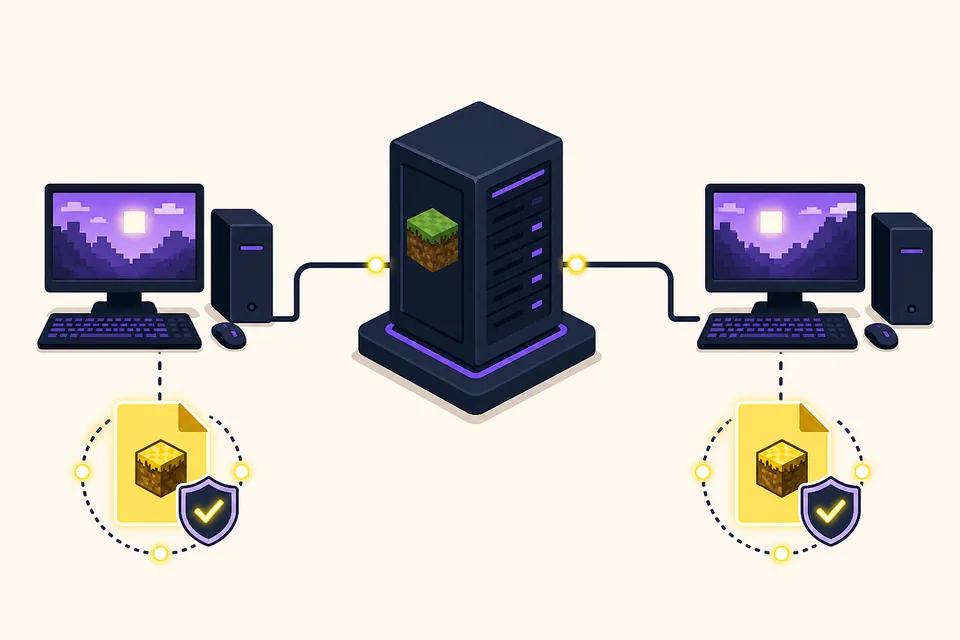
Use this five-step client and server setup
A repeatable order keeps multiplayer troubleshooting small. Complete one step, record what happened, and only then move to the next. If the server cannot start, stop there; there is no value in debugging voice settings before the base Forge environment is healthy.
For a first test, use one administrator, one clean client profile and a new or copied world. Add other mods and players after the base connection works. This also gives you a clear comparison point if a later change causes a disconnect.
- 1
Install the server environment
Set up the selected Minecraft Java and Forge server version, then start it once without Verity so the server files and EULA flow are complete.
- 2
Add one verified Verity release
Place the intended Verity JAR in the server mods folder, remove duplicate older copies and start the server again. Save the first meaningful log error if it fails.
- 3
Mirror the profile on each client
Use the same Minecraft branch, Forge environment, Verity release and required dependencies on every joining client. Do not assume that similar file names mean identical builds.
- 4
Test the network without optional features
Join with one client, confirm movement and basic world interaction, and test the server address before configuring AI, TTS or voice input.
- 5
Add friends in controlled steps
Invite one additional player first. If that works, keep the working version note and add the rest of the group, voice settings or other mods one change at a time.
Never publish API keys, private server addresses or unredacted crash logs in a setup guide or group chat.
Keep the Minecraft, Forge and Verity versions identical
The official Modrinth API check for this page found Verity JE v6.0.0-beta.7, published August 19, 2026 for Minecraft Java 1.20.1 with Forge. The published file is verity-6.0.0-beta.7.jar and the recorded size is 257,909,430 bytes. The beta label matters: it is a test release, so back up the world and avoid treating a successful single-player launch as a multiplayer compatibility guarantee.
Use the same release on the server and every client unless the project explicitly documents another arrangement. If one player is still on 6.1 or an older release, remove the duplicate and update the profile deliberately. Minecraft 1.20.1 matching alone is not enough when the Forge or Verity build differs.
- Verity JE: v6.0.0-beta.7
- Minecraft Java: 1.20.1
- Loader: Forge
- File: verity-6.0.0-beta.7.jar
- Verified size: 257,909,430 bytes
| Check | Server and client value | Why it matters |
|---|---|---|
| Minecraft | Java 1.20.1 | Bedrock and another Java branch use a different platform |
| Loader | Forge | Fabric, NeoForge or a plugin server is not an automatic substitute |
| Verity | v6.0.0-beta.7 | A different mod build can fail the handshake or change behavior |
| File identity | verity-6.0.0-beta.7.jar | The name and size help catch an incomplete or mislabeled download |
| World state | Backed-up test copy | A beta update should not be tested first on the only world copy |
The release facts were checked against the official Modrinth record on August 22, 2026. Check the source again before a later update because versions and host support can change.
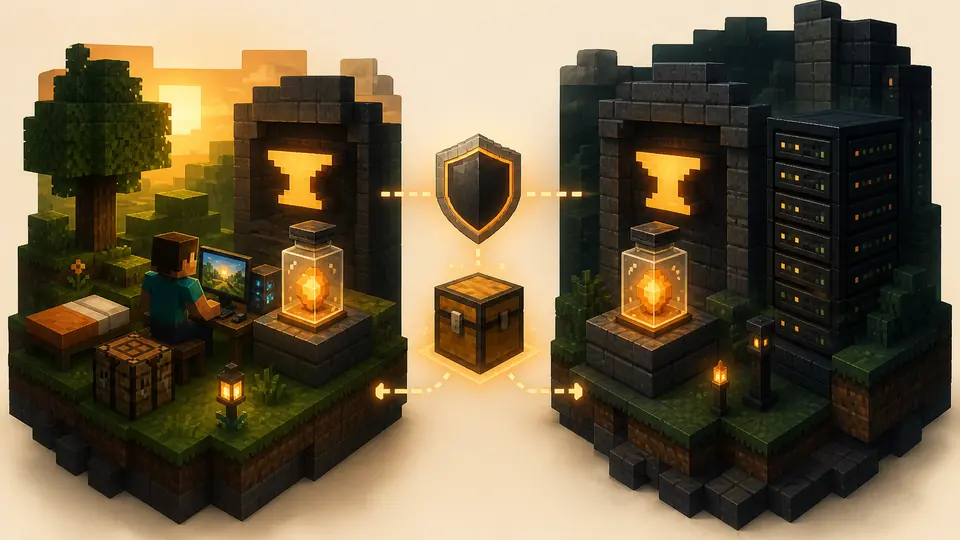
Aternos, AI and voice are separate multiplayer boundaries
Aternos or another host answers the server-installation question; it does not automatically configure Verity's AI provider, microphone permissions or text-to-speech. A server can load the mod while one player still sees an API connection error, has no microphone permission or hears no output. Test those layers after the basic join succeeds.
Keep credentials private and document where the AI service runs. Do not assume that a local Ollama service on one player's computer is reachable by the server or by every other client. For Groq or another online provider, follow the project setup instructions and avoid putting a personal key into a shared server pack.
- Base multiplayer: server starts and one matching client joins.
- AI provider: the configured Groq or Ollama path can complete a test request.
- Voice input: the operating system grants microphone access to the intended device.
- Voice output: Minecraft and the operating system route sound to the expected headset or speakers.
- Privacy: keys, private addresses and personal logs stay out of shared screenshots.
For voice-specific questions, use the site's voice setup guide after the base multiplayer handshake works. Do not use a voice symptom to diagnose a server version mismatch.

Troubleshoot multiplayer failures in order
Read the first meaningful server or client error and classify the failure before replacing files. A final cascade of disconnect messages is often less useful than the first Forge, dependency or network line. Change one variable, restart the affected side and repeat the same small test.
If the base connection works but a feature is silent, keep the working mod profile. Move to the AI, microphone, output or host-network checks instead of downgrading at random. Record the Minecraft version, Forge version, Verity version, host path and exact failure stage in any support report.
| Symptom | First check | Do not assume |
|---|---|---|
| Server crashes before the world loads | Minecraft, Forge, duplicate JAR and dependency errors | That the network or voice settings caused the crash |
| Client is rejected during join | Compare the exact server and client mod files | That matching Minecraft 1.20.1 alone is sufficient |
| Connection times out | Server address, port, host status and firewall path | That downloading the same JAR fixes routing |
| Player joins but Verity is silent | AI provider, permissions, logs and audio devices | That a silent companion proves the server mod failed |
| Only one player fails | That player's profile, duplicate files and local settings | That the whole server must be rebuilt first |
The existing troubleshooting guide covers the general diagnostic order. This page adds the server/client version and hosting checks specific to multiplayer.
Multiplayer checklist before you invite the group
A clean yes means the server can start, one matching client can join and the group has a documented version combination. If any item is still unknown, keep the test private. A short delay is cheaper than asking every player to troubleshoot a different profile at the same time.
Recheck the official release and host boundary before a future update. A new Verity build, a changed library entry or a different Forge recommendation can make an old tutorial incomplete even when the page title still looks familiar.
- Server uses Java Edition, Minecraft 1.20.1 and the intended Forge environment.
- Server and every client use one verified Verity release with no duplicate old JAR.
- The chosen host supports the project through its library or explicitly permits the required custom files.
- One clean client has joined a backed-up test world before the full group is invited.
- AI, voice, credentials, firewall and privacy checks are documented separately from the base connection.
- The checked release date and source link are recorded for the next update.
If the answer is still uncertain, stop at the first unknown layer and verify it. A direct download link cannot override a host limitation or a mismatched client profile.
Verity Mod Multiplayer FAQ
Can you play Verity Mod multiplayer?
Yes, when a compatible Minecraft Java Forge server and every joining client use the same Verity environment and required dependencies. Test one clean client before inviting the group.
Does every player need Verity Mod installed?
For the Forge multiplayer setup described here, every joining client should use the documented matching profile. Follow the project's current requirements for any server-only or optional component instead of guessing.
Which Verity version was checked for this guide?
The official Modrinth record checked on August 22, 2026 lists Verity JE v6.0.0-beta.7 for Minecraft Java 1.20.1 with Forge. The file is verity-6.0.0-beta.7.jar and the recorded size is 257,909,430 bytes.
Can I use Verity Mod on Aternos?
Only when the compatible project is available through the Aternos mod library for your selected Java, Minecraft and Forge combination. A direct JAR link does not create a managed-host library entry.
Why can I play single-player but not join a server?
Single-player proves that one local profile can launch; it does not prove that the server and client versions, dependencies, address and ports match. Compare the exact mod files first.
Why does Verity join multiplayer but not talk?
The base connection may be working while the AI, microphone, text-to-speech or output layer is not. Test typed interaction, provider reachability and audio permissions separately.
Should I use the beta release on my main world?
Treat v6.0.0-beta.7 as a test release. Back up the world, use a copied test profile and keep the server and clients on one documented version before regular play.
Sources and verification
Product facts on this page were checked on July 19, 2026. Verity Mods Wiki is independent and does not claim ownership of Verity JE or Minecraft.