

The Verity Mod Fabric answer is not an official download path at the time of this check. The official Verity JE mod metadata lists the Forge loader and Minecraft 1.20.1, so a Fabric profile should not be expected to load the published Java mod JAR. Do not rename a Forge file, install a random Fabric port or treat a search result as publisher evidence.
See the verified Java requirementsDoes Verity Mod work on Fabric?
If you searched for Verity Mod Fabric because you already use a Fabric profile, the practical answer is to stop before moving the mod file. The official Verity JE mod page and its public project metadata identify Forge as the loader and Minecraft 1.20.1 as the game version. They do not list Fabric as a supported loader. That is a compatibility statement, not a claim that a future port is impossible.
The distinction matters because a mod loader is part of the software contract. A Minecraft mod JAR can contain loader-specific entry points, mappings, mixins and dependency declarations. Fabric and Forge both load Java mods, but they do not make every mod JAR interchangeable. A file that has Verity in its name can still be an unofficial remake, a renamed archive, a resource pack or a listing for another mod project.
For now, keep the official Java mod route narrow: use a Minecraft Java 1.20.1 profile with Forge, follow the project setup instructions and test the mod in a new world. If your installation must stay on Fabric, treat Verity as unsupported on that profile until an official mod project record names Fabric and explains the supported Minecraft branch.
- Official loader shown in the checked mod project record: Forge.
- Official Minecraft version shown in the checked mod project record: Java 1.20.1.
- Fabric support: not listed in the official mod metadata checked on September 19, 2026.
- Safe action: keep the mod file on a matching Forge profile instead of forcing it into Fabric.
A missing Fabric entry is not proof that no developer will ever publish a port. It means the current official source does not verify one, so this site does not provide a Fabric download button.
Forge versus Fabric: what the loader boundary changes
The most common mistake is to treat Forge and Fabric as two launchers for the same mod package. They are better understood as different modding environments with different APIs, metadata and dependency expectations. A Forge profile can be correct for one mod project while a Fabric profile is correct for another. The Minecraft edition can be the same and the loader can still be incompatible.
That is why copying a mod file from the Forge mods folder into a Fabric instance usually produces a missing-mod message, a dependency error or a crash before the world opens. Installing Fabric API beside a Forge-only mod JAR does not translate the JAR. Renaming the extension does not convert its code, and placing it in a different folder does not change its loader metadata.
The same rule applies to server play. The server and the joining clients need a compatible loader, Minecraft version, Verity mod release and dependency set. A Fabric client cannot become compatible merely because the server address is correct. Start with the loader line in the official mod project record, then compare the exact files and versions on both sides.
| Check | Official Java path | Fabric interpretation |
|---|---|---|
| Loader | Forge is listed for the Verity JE mod | Not verified for the Verity JE mod |
| Game version | Minecraft Java 1.20.1 | Do not infer Fabric support from a 1.21 or other listing |
| Package | A Java mod JAR with project dependencies | A different loader does not rewrite the mod JAR |
| Client/server | Match Forge, Minecraft, Verity mod and dependencies | A Fabric profile needs an official Fabric mod build first |
| Source proof | Official Modrinth project and version records | Third-party names are not enough |
The package boundary is similar to the Java-versus-Bedrock boundary: the file format and runtime contract matter more than the shared word Minecraft.
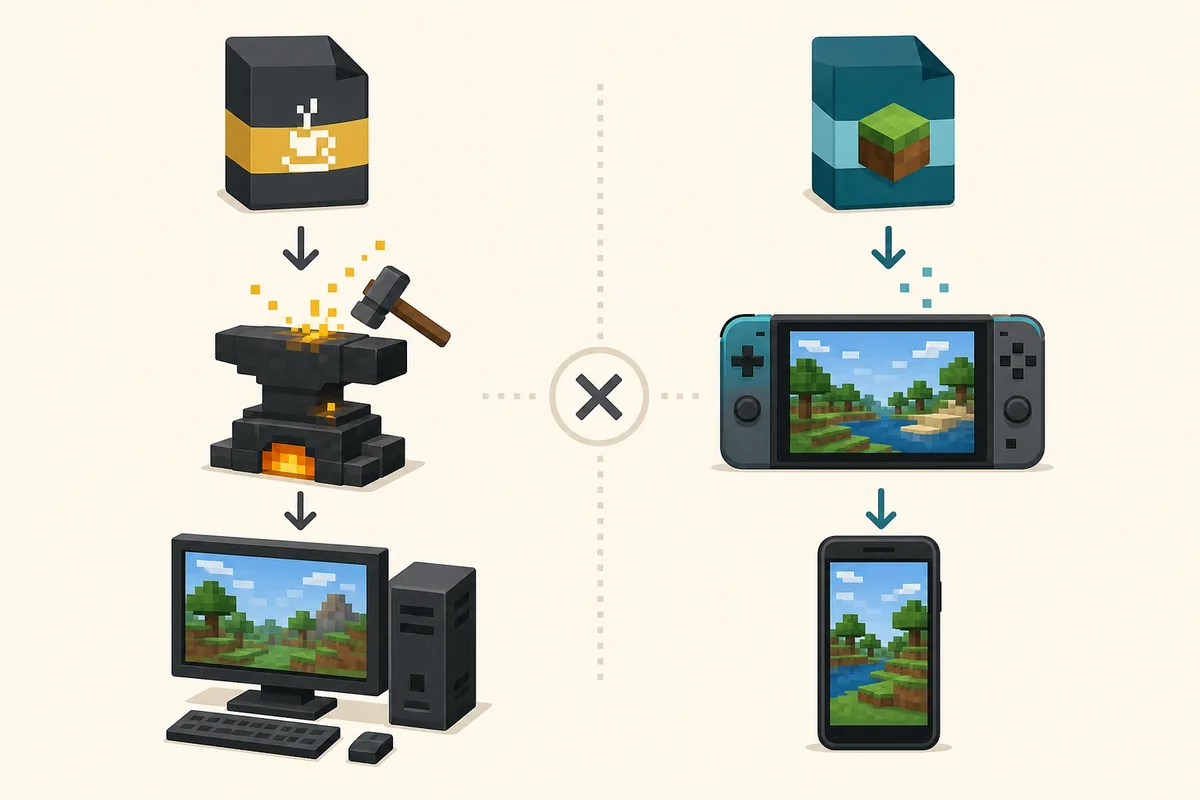
What would count as a real Verity Fabric port?
A credible Fabric mod release would need more than a search snippet or a download page using the Verity name. The mod listing should identify the publisher, name Fabric in its loader metadata, state the supported Minecraft version and explain whether it is the official Java adaptation or a separate mod project. A durable source page, changelog and dependency list give players something they can verify after the file is downloaded.
Look for the same mod identity across the project description, version record and repository or publisher channel. The name Verity JE is not enough on its own because unofficial uploads can reuse a recognizable title. The mod project should also make clear whether the Fabric build is a port, a remake or a compatibility layer. Those categories have different authors, files and support expectations.
- 1
Confirm the publisher
Start from the official Verity JE project page or an announced project-controlled channel. Do not begin with a mirror, an ad-heavy installer or a shortened download URL.
- 2
Read the loader metadata
Check the version record for an explicit Fabric loader entry and a supported Minecraft version. A page title alone is not metadata.
- 3
Compare the file identity
Record the file name, date, size and dependencies. Treat another JAR as a different release until the publisher connects it to the project.
- 4
Test a disposable profile
Back up important worlds and test any new build in a clean profile. Keep the working Forge installation separate from an unverified experiment.
Do not use an installer that asks for administrator access, disables security software or requests an API key just to install a Minecraft mod. Those demands are outside normal loader compatibility.
How to play Verity if you use Fabric now
If Fabric is non-negotiable for your mod pack, do not rebuild the profile around an unverified file. Keep the Fabric instance intact and test Verity only in a separate Java 1.20.1 Forge instance. Use clearly named launcher profiles, separate mods folders and separate backups.
If you choose the official Java path, follow the existing Verity installation guide rather than mixing instructions from Fabric tutorials. Install the matching Forge environment, place the intact JAR in the correct mods directory, launch a clean test world and confirm the mod appears before configuring AI. Keep Groq or Ollama setup separate from the loader test so a network error does not look like a loader crash.
- Name the launcher profiles clearly, such as Verity Forge 1.20.1 and your existing Fabric pack.
- Keep worlds and screenshots separated so a loader mismatch cannot overwrite a working save.
- Test the mod layer before Groq, Ollama, microphone or text-to-speech features.
- Record the source page and exact file identity before sharing a setup with friends.
Loader compatibility is separate from AI compatibility. A working Ollama service cannot make a Forge-only Minecraft mod load in Fabric.
Fabric is not Bedrock: keep the platform questions separate
Search results often combine Fabric, Forge, Java, Bedrock and version numbers into one noisy mod question. Fabric and Forge are Java Edition mod loaders. Bedrock uses a different add-on and scripting ecosystem. A request for Verity Mod Fabric should therefore not be answered with a Bedrock mod download, and a Bedrock listing should not be used as evidence of Fabric support.
The existing Bedrock status guide explains why the verified Java JAR cannot simply become an MCAddon. The Java-versus-Bedrock comparison covers the platform decision. This page adds the Java-loader boundary so readers can separate Forge versus Fabric from Java versus Bedrock before downloading.
| Question | Correct page boundary | Do not substitute |
|---|---|---|
| Does Verity JE run on Fabric? | This guide: loader status | A Bedrock listing |
| Can I install the Java JAR on Bedrock? | Bedrock status and comparison guides | A Fabric tutorial |
| Which Java file and version should I use? | The versions and Java requirements pages | A renamed mirror |
| Why does the game crash? | Troubleshooting by loader, JAR and dependency layer | An AI or voice fix |
Keeping these questions separate is useful for searchers and safer for installations: each answer depends on a different runtime contract.
Verity Mod Fabric FAQ
Is there an official Verity Mod Fabric download?
The Verity Mod Fabric answer is no official Fabric build was verified in the project metadata checked on September 19, 2026. The official Verity JE mod record lists Forge for Minecraft Java 1.20.1, so use the Forge path or wait for a source-controlled Fabric announcement.
Can I put the Verity JE JAR in a Fabric mods folder?
Do not expect it to work. The published project is listed for Forge, and moving or renaming the JAR does not convert its loader-specific code or dependencies.
Does Verity Mod Fabric mean Minecraft Bedrock?
No. Fabric is a Java Edition loader. Bedrock uses a different add-on system, so Fabric, Forge and Bedrock should be checked as separate compatibility questions.
What Minecraft version does the official Verity JE project list?
The official project metadata checked on September 19, 2026 lists Minecraft Java 1.20.1 and the Forge loader. Check the project record again before updating a profile because compatibility can change.
Can a future Verity Fabric port be real?
Yes, a future port is possible, but it should be announced through a traceable project source and list Fabric, the supported Minecraft version, dependencies and file identity. Until then, label Fabric listings unverified.
What should I do if I only use Fabric?
Keep your Fabric profile separate and do not install an unverified Verity archive. If you want to test the official Java project, create a separate Forge 1.20.1 profile with backups and follow the installation guide.
Sources and verification
Product facts on this page were checked on July 19, 2026. Verity Mods Wiki is independent and does not claim ownership of Verity JE or Minecraft.